
Resetting a SimonsVoss locking cylinder clears its existing programming so it can be reintegrated into a new locking system or reprogrammed from scratch, using the AXM software and a compatible programming device. This is typically needed when electronic locks are removed as part of a refurbishment or upgrade and later reinstalled somewhere else. In most cases the cylinder must be reset before it can join a new locking system, and reprogramming it afterwards is straightforward.
There are two routes to a reset. If you have a programming device, the AXM software and access to the relevant database, you can reset the cylinder without entering the locking system password. If you no longer have access to the database, the cylinder can still be reset using the AXM software and a programming device, but you’ll need to enter the locking system password directly.
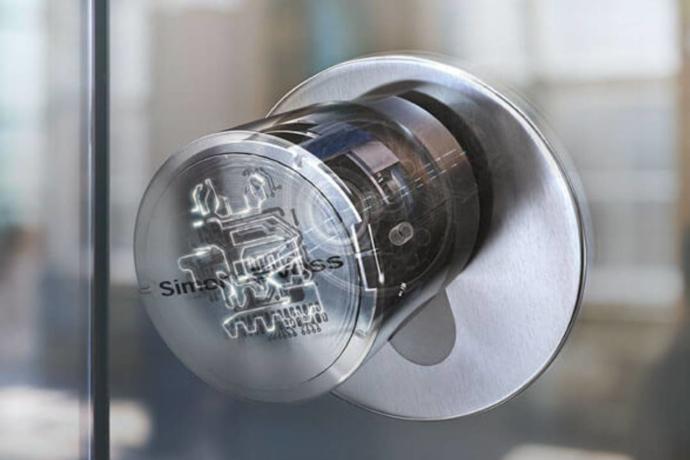
► Resetting a Cylinder Using the AXM Software
To reset a SimonsVoss locking cylinder without entering the locking system password directly, you’ll need three things: your password for the AXM software itself, the locking system password for the cylinder if it wasn’t originally programmed using your copy of AXM, and a compatible programming device, such as the SmartStick AX for the latest generation of AX cylinders.
In short: resetting via AXM needs your software password, the cylinder’s locking system password if it’s not already on your database, and a compatible programming device such as the SmartStick AX.
► Step-by-Step Guide
- Connect the programming device. Connect your programming device to the computer.
- Launch the AXM software. Open the AXM software on your computer.
- Open the locking cylinder list. Navigate to the locking cylinder list or matrix view within the software.
- Select the locking cylinder. Click on the cylinder you want to reset. If you’re not sure which one it is, read its data first; the AXM manual covers how to identify an unknown locking device.
- Start synchronisation. Click “Synchronise” to open a new window.
- Select the programming device. Choose your programming device from the drop-down menu.
- Reset the cylinder. In the synchronisation window, click “Reset” and wait a few seconds while the cylinder resets.
- Confirm the action. You may be asked whether to read the access lists once more before resetting. Confirm this as needed.
Once these steps are complete, the cylinder has been reset successfully and can either join another locking system or simply be reprogrammed.
In short: the reset itself is an eight-step process inside AXM, from connecting the programming device to confirming the final reset, and takes only a few seconds once you’re at the right cylinder.
Need further help resetting a SimonsVoss locking cylinder? Get in touch with our technical support team, or visit the SimonsVoss support and software downloads page for guidance covering all aspects of our locking solutions.
FAQ
When do I need to reset a SimonsVoss cylinder?
Typically when an electronic lock is removed as part of a refurbishment or upgrade and needs to be reinstalled in a different location or locking system.
What do I need to reset a cylinder without the locking system password?
A programming device, the AXM software and access to the relevant database.
What if I don't have access to the database anymore?
You can still reset the cylinder using the AXM software and a programming device, but you’ll need to enter the locking system password directly.
Which programming device do I need?
A compatible programming device such as the SmartStick AX, which is designed for the latest generation of AX cylinders.